Clickshare System Familie

Media control for easy operation of complex multimedia systems

A media controller is a control system that remotely controls all components (display devices, playback devices, switches, controls, etc.). In this way, even complex multimedia systems can be operated simply and intuitively by users. For example, a click on the touch panel is enough to start a scenario: Start up the display in the background and switch to the corresponding input. The sound system switches to a specific volume and the video conferencing system pans the camera to the conference table.
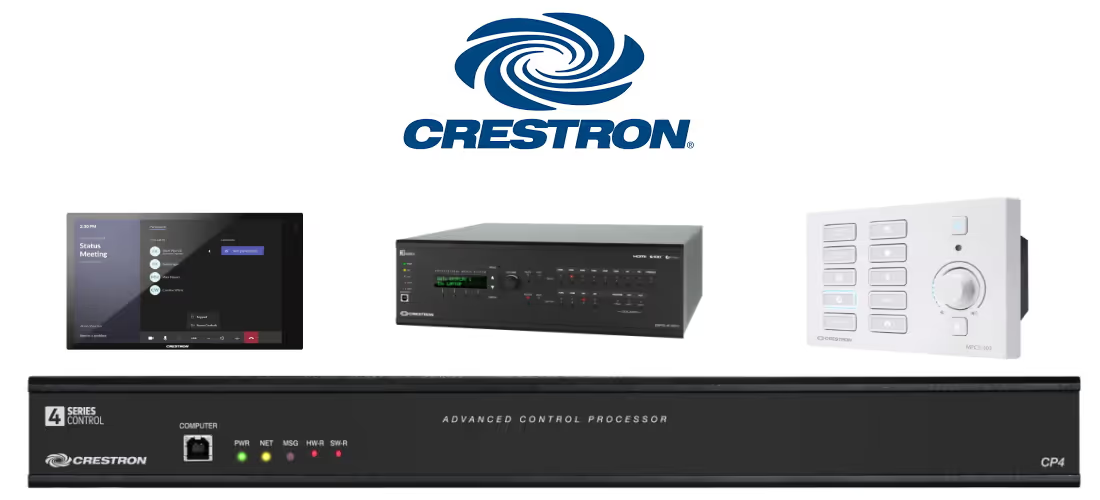
Overview of Creston media control

Control panel with buttons

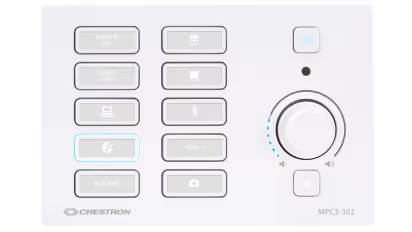
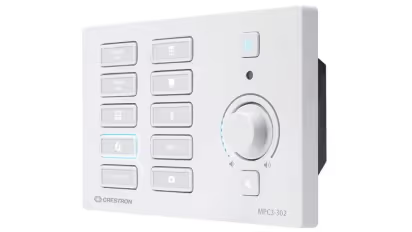
The 3-Series® Media Presentation Controller 302 (MPC3-302) is a wall-mounted, PoE+ powered automated 3-Series Control System® processor, with an integrated control panel that features a modern look, including backlit buttons and an ideal user interface for controlling AV and other functions. The controller provides fully programmable functionality, supports web and cloud-based configuration and management, and integrates with Crestron Fusion® software as part of a fully managed enterprise solution. Crestron® MPC3 series controllers are perfect for classrooms, meeting rooms, auditoriums, and training facilities.
Logitech Rally Bar Mini with accessories

An overview of important features of control panel with buttons

  • Individually customizable backlit keys - absolute control of your devices and their functions
  • No rack required — existing control technologies combined in a compact wall unit
  • Only one function is recommended per push of a button
  • Haptic feedback to the user

Advantages/Recommendation of button controllers:

  • Intuitive operation
  • rooms with a wide range of functions
  • Rooms with rapidly changing users
  • Relatively easy programming

Disadvantages of button controllers:

  • Not recommended with a wide range of functions
Get a personal offer

Touch panel

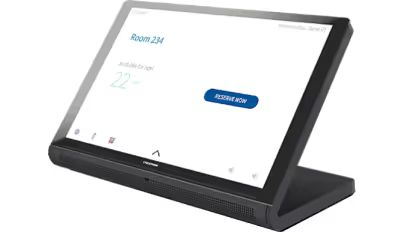
The 70 series wall and desk touch screens have a sleek, industrial design with a thin bezel and black and white surfaces. All models in the 70 series offer sharper displays with higher resolution. The new proximity sensor detects movement to activate the screen when you approach. In addition, native support for H.265, H.264, and MJPEG 70 series formats allows you to view live streaming video from an IP camera, streaming encoder, or a DigitalMediaTM switcher. With an integrated Bluetooth® beacon and the new Crestron ONETM mobile app, employees and guests at any workplace can securely and reliably control room technology from their personal devices.
Rally Bar

Key features of touch panels at a glance

  • Freely programmable user interface
  • Design according to corporate identity
  • In addition to the touch controller, central media control is required

Advantages of touch panel:

  • Wide range of functions easy to operate
  • Modern appearance
  • Several functional levels (standard user, admin) with password protection possible

Disadvantages of touch panel:

  • Elaborate programming
  • No haptic feedback when pressing a button
Get a personal offer

Central media control

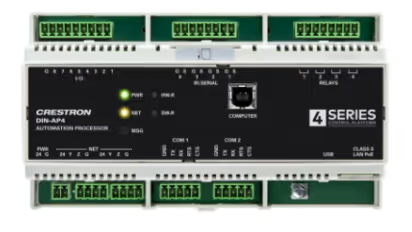
Crestron DIN-AP4 offers a control system that is equipped with a powerful 4‑Series™ control engine and numerous integrated control ports specifically designed for DIN rail mounting applications. The safe and powerful core processor is used to control a complete DIN-rail automation system. The DIN-AP4 was developed to integrate and automate technology into any modern networked home, commercial building, or government facility. DIN rail mounting offers a space-saving, cost-effective and modular solution for configuring complete automation systems.
Logitech Rally

Overview of important features of the DIN-AP4 Rail Control System

  • Offers a modular programming architecture for running up to ten programs simultaneously.
  • Ethernet provides an interface for connection to the building network and enables Smoit complex controls
  • Built-in SNMP V3 support allows integration with third-party IT management software
  • BACnet communication protocol provides a direct interface to third-party building management systems
  • Supports integration with an Apple® HomeKit® technology system
Get a personal offer

When is media control recommended?

In principle, media control can be used from a small conference room to a football stadium. However, even with small systems, the effort and investment is relatively high. We recommend networked media control only in situations where multiple playback devices must be switched to multiple display devices. For small systems, such as 1 display or projector + various players (<5), we recommend using the functions of the display device. With the integrated functions and a clever system design such as automatic switcher + universal remote control, you can achieve the same effect (easy and intuitive to operate) with less complexity, which in turn results in lower investment and maintenance costs.

We recommend using a media control system here:

  • Room situations with ≥ 2 networked display devices and ≥ 4 playback sources
  • Larger function rooms and auditoriums
  • Networking of building technology (lighting, climate, etc.)

Here we recommend a different system structure:

  • Meeting rooms with normal range of functions
  • Room situations with a display device (projector/ display) and few playback sources (notebook, TV, video conference, etc.)

What does ready-to-use media control cost:

In order to obtain ready-to-use media control, the following is required:

  • Media control hardware: from 800€ for key controllers; from 3,500€ for touch panel with central unit
  • Compatible display and playback devices
  • Cabling and programming working time: starting at 600€

We would be happy to provide you with a cost-effective overall offer for setting up a meeting room with video conferencing technology.

Get a personal offer

Why Crestron — why do we prefer this manufacturer?

We have mastered Crestron programming since 2010. Crestron is an established manufacturer from the USA and has had a very broad product portfolio for decades. This consists of a large selection of different media controls, numerous input devices such as touch panels and in-house signal management components (matrix, multimedia systems, amplifiers). Crestron systems require special software, which is not freely accessible. Programming is carried out via logic components, similar to an industrial PLC, and must be “programmed” from scratch. The functions and scope of media control are almost limitless; everything can be developed from the classroom to the soccer stadium. However, this has the disadvantage that even with avoidably small projects, there is a high level of programming complexity. In particular when different programmers were at work or you have to familiarise yourself with an existing program, a relatively long time is required. However, the programming structure and hardware are very robust. For example, you can still provide a 10-year-old system with updates and add new functions. The software and firmware are very well maintained by the manufacturer and remain backwards compatible at all times.

This is how we support you with full service for media control:

corner flag
planning

Creation of concept & planning

  • Selection of suitable hardware and software products that are as easy to use as possible
  • IT environment requirement
installation

Installation of the conferencing solutions

  • Professional assembly without dirt
  • Invisible routing of signal and control lines
startup

Commissioning & handover

  • Integration of existing devices into a media control system
  • Individual instructions for technology or users
setup

Media control configuration

  • Programming the logic and creating automatic processes (scenes)
  • Programming of individual user interfaces

Selection of our customers

We are your partner for professional media and video conferencing technology in the greater Munich area — with over 1,500 completed projects for companies of all sizes, from individual meeting rooms to major projects with 50+ rooms.

customer projects
customer projects
customer projects
customer projects
customer projects
customer projects
customer projects
customer projects
customer projects
customer projects
customer projects
customer projects
customer projects
customer projects
customer projects
customer projects
customer projects
customer projects
customer projects
customer projects
customer projects
customer projects
customer projects
customer projects
customer projects
customer projects
customer projects
customer projects
customer projects
customer projects
customer projects
Map Kiessling Medientechnik Munich
location

KIESSLING Medientechnik GmbH

Heßstraße 41
80798 Munich
Appointments by appointment only
Phone
089 21550146*
*Please use the enquiry form or email for initial contact.
You will receive an extension as you proceed.
As an existing customer, you can find them in our emails.